Utilities · iPhone · iPad · Apple Vision Pro
Laser Library
Log it once. Nail it every time.
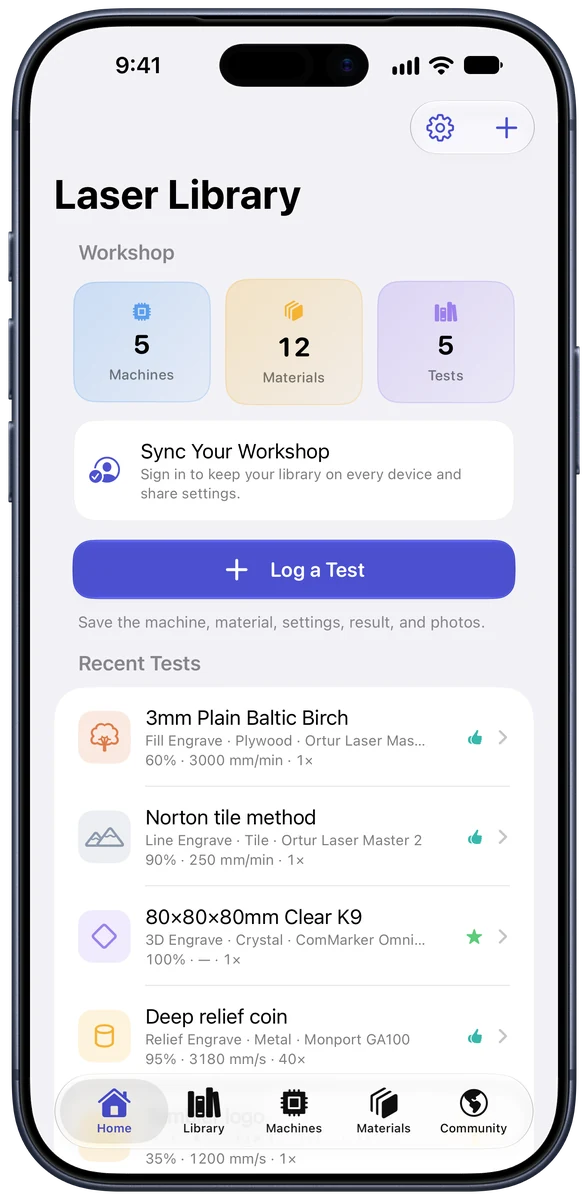
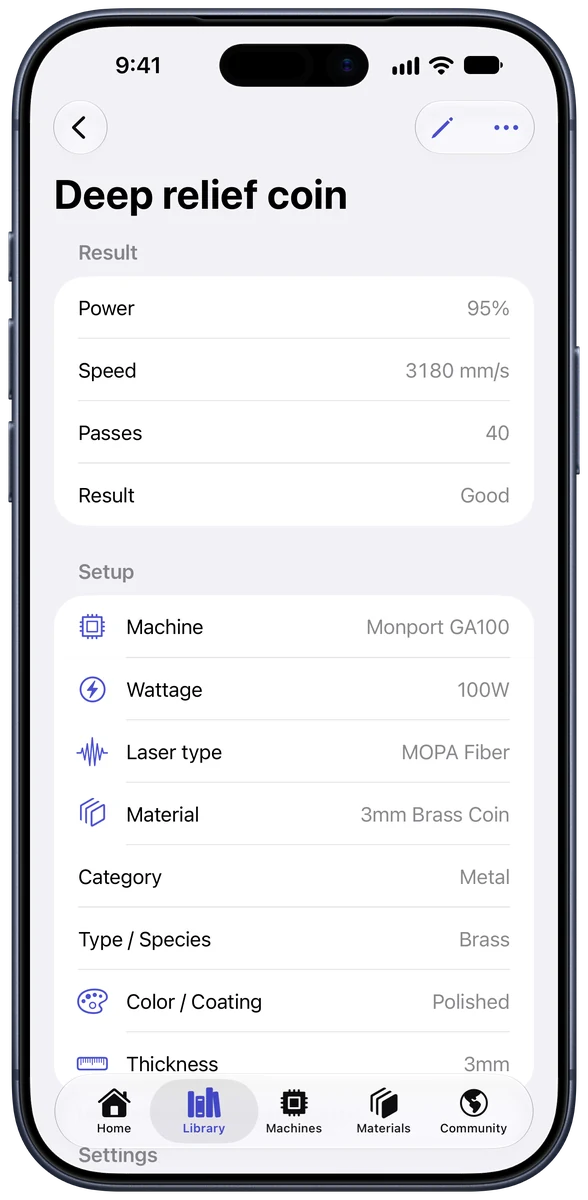
Every laser project starts with the same question: what settings do I use? Log a test once, with the machine, the material, the power, speed, and passes, plus a photo of how it turned out, and you never have to guess at those numbers again.

- iPhone & iPadiOS & iPadOS 17.0 or later
- Apple Vision ProvisionOS 1.0 or later
- PriceFree
- Version1.0
Screenshots
A look inside
Features
What you can do with Laser Library
Your machines
Track every laser you own, whether it’s diode, CO2, fiber, MOPA, or UV, with its wattage, lens, work area, and the software you run it with.
Your materials
Save the stock you actually buy, down to the species, coating, thickness, and supplier.
Every setting
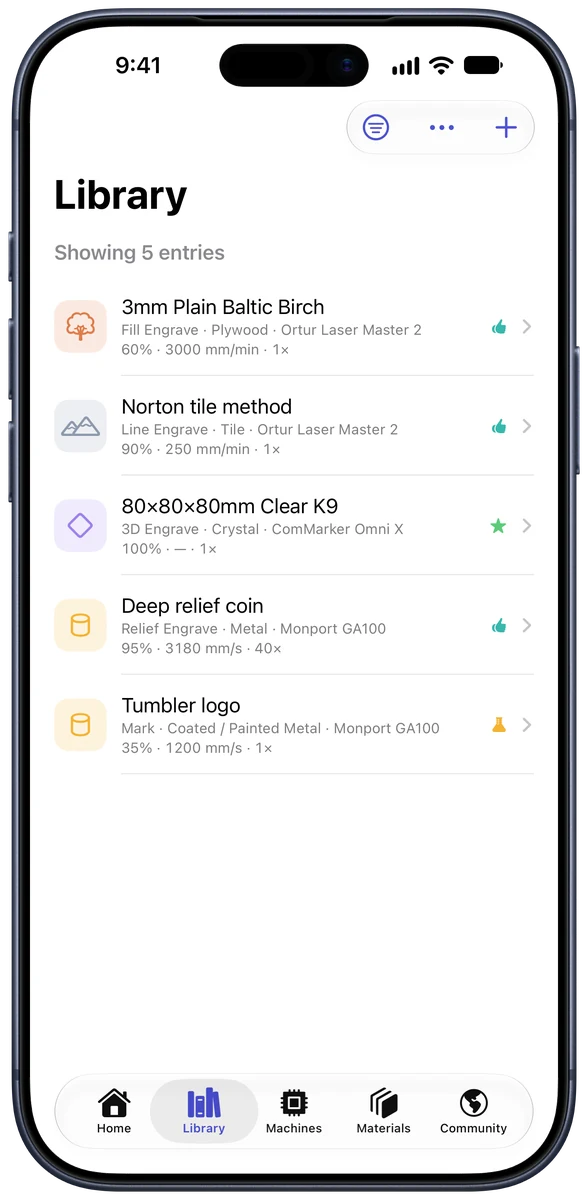
Record power, speed, passes, frequency, line interval, focus offset, air assist, and more, then rate how the result came out.
Photos of the result
Attach a photo of the finished cut or engrave. Six months later, the picture tells you more than the numbers do.
Find it in seconds
Search and filter your whole library by machine, material, operation, or result, and put two tests side by side to see which setting made the difference.
Community settings
Publish a dialed-in setting, browse what other makers have proven on the same material, and save the useful ones straight into your library.
Support
Need help with Laser Library?
Questions, bug reports, and feature ideas come straight to me, the person who built the app. I usually reply within a day or two.
Contact support
Send a message with your device and iOS version so I can help faster.
Get helpPurchases and refunds
In-app purchases and subscriptions are handled by Apple, including refunds and cancellations.
Report a problemWhat’s new
Release notes for every Laser Library update, newest first.
Version historyPrivacy policy
What Laser Library collects, how it’s used, and the choices you have.
Read the policyFAQ
Common questions
Is Laser Library free?
Yes. Laser Library is free to use with ads. Laser Library Pro is a one-time purchase that unlocks unlimited machines and more photos per test and removes ads, or you can buy Remove Ads on its own for less. Neither is a subscription.
Do I need an account?
No. Laser Library works offline and keeps everything on your device. Sign in only if you want your library to sync between iPhone and iPad, use it on the web at my.laserlibrary.app, or share settings with the community.
Which lasers does it work with?
Any diode, CO2, fiber, MOPA, or UV laser. Laser Library doesn’t connect to your machine. It’s a logbook for the settings you use with it.
More from TurboCycle Media